Day-end reporting
Read day-end slips, pump totals and inventory photos. Compare pumps with POS figures and keep daily checks beside the report.
 Opstriva.
Let’s automate it
From the day-end slips to the books. Bring reporting, fuel costs, supplier checks and employee time together, with AI-assisted reading and a clearer view of what needs you.
Two calendar months free, no payment details. Sign up online in a few minutes and get your own store number; the trial starts at your first sign-in and ends at 11:59 p.m. Toronto time. For stations in Canada and the US; HST tools are for Canadian stations. Continued access and pricing are agreed with Opstriva.
Supported documents flow into the station’s records. Clear readings can be added automatically when enabled; missing or conflicting details come with a reason to review.
Read day-end slips, pump totals and inventory photos. Compare pumps with POS figures and keep daily checks beside the report.
Place deliveries using day-end tank readings and apply buying prices. Configure additional fuel suppliers and their prices for your station.
Compare supported Global Fuels invoices, credit memos and withdrawal notices. See differences and missing documents together.
See fuel cost per litre after supplier discounts, value in the tanks, fuel profit and inventory over/short checks.
When enabled, AI helps read documents the regular reader cannot finish, including new invoice layouts. Readings still go through the app’s checks.
Review approved figures in the app and download reports as Excel files. Unclear information remains visible for review.
For stations in Canada and the United States. Switch on Books to match supported statement lines with your records. HST preparation and estimates are for Canadian stations only; US sales-tax calculation or filing is not included.
Upload supported statement PDFs. Match card payments, transfers, loan payments and supplier payments, with categories and rules you can remember for next time.
Check debit deposits against daily reports and see the running cash amount still to be deposited.
Bring business purchase invoices and credits into Expenses & HST. Compare purchases with bank lines to spot missing invoices and possible duplicates.
AI-assisted reading can help with unfamiliar invoice layouts when the backup reader is enabled.
Set a monthly, quarterly or annual filing schedule. Prepare figures with CRA line numbers and a checklist of missing sales HST, invoices and day-end reports.
Sales HST is entered by you. Optional bank-based estimates are labelled separately and included only when you choose them.
Statement support today: RBC business chequing, Visa, operating line and term-loan statements. Other bank layouts need a compatibility check.
Your records, handled carefully: statement PDFs are not kept and only the last four account digits are stored. You or your accountant review and file the return.
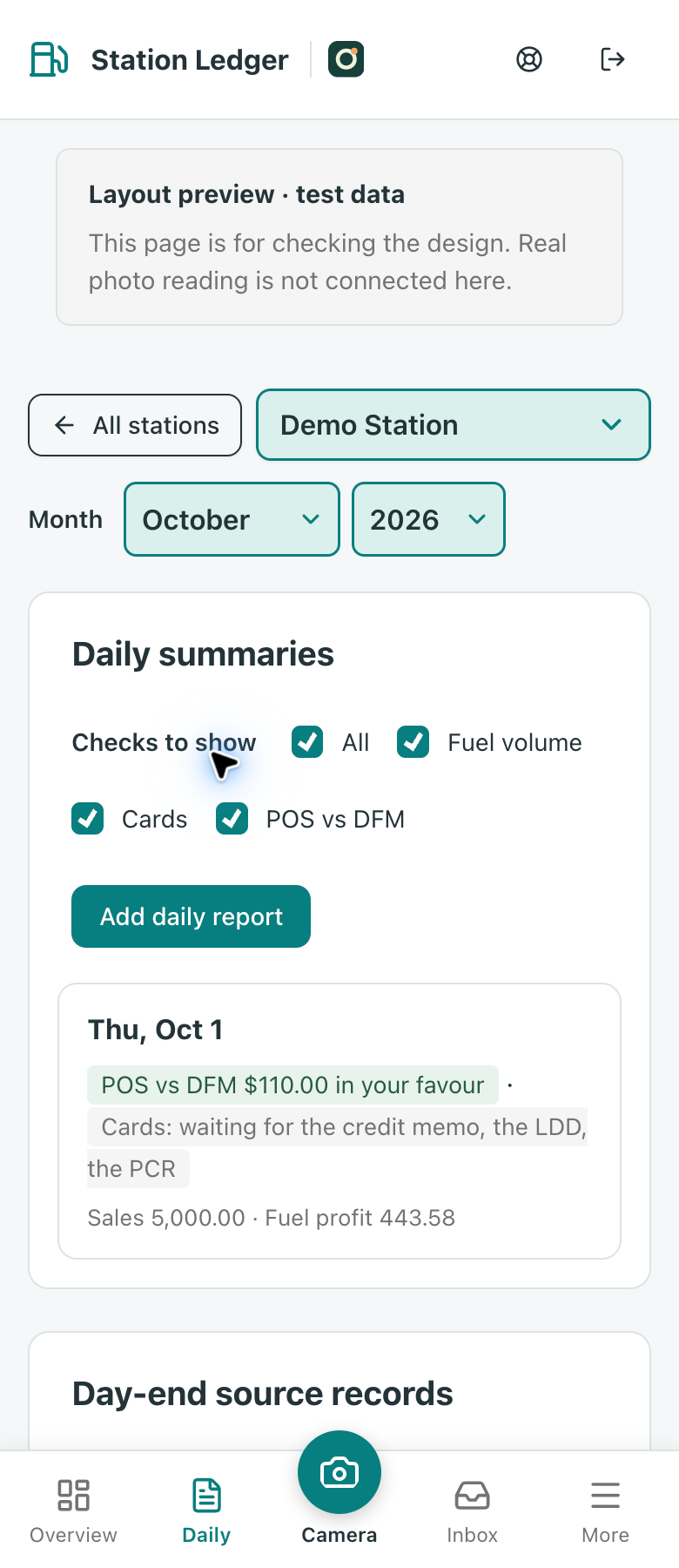
Explore sample reporting and mobile screens from the pilot. Customers review reports; staff have a focused upload and time-clock screen.
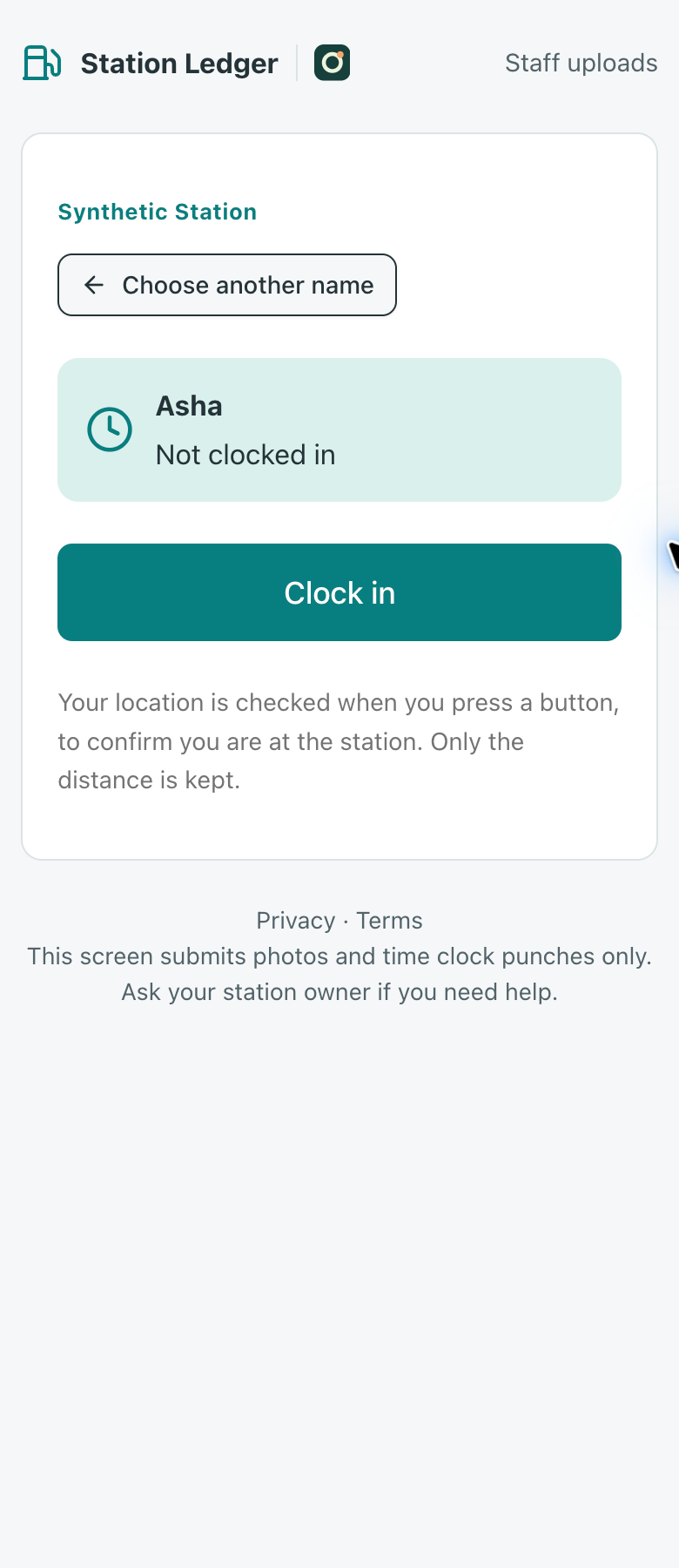
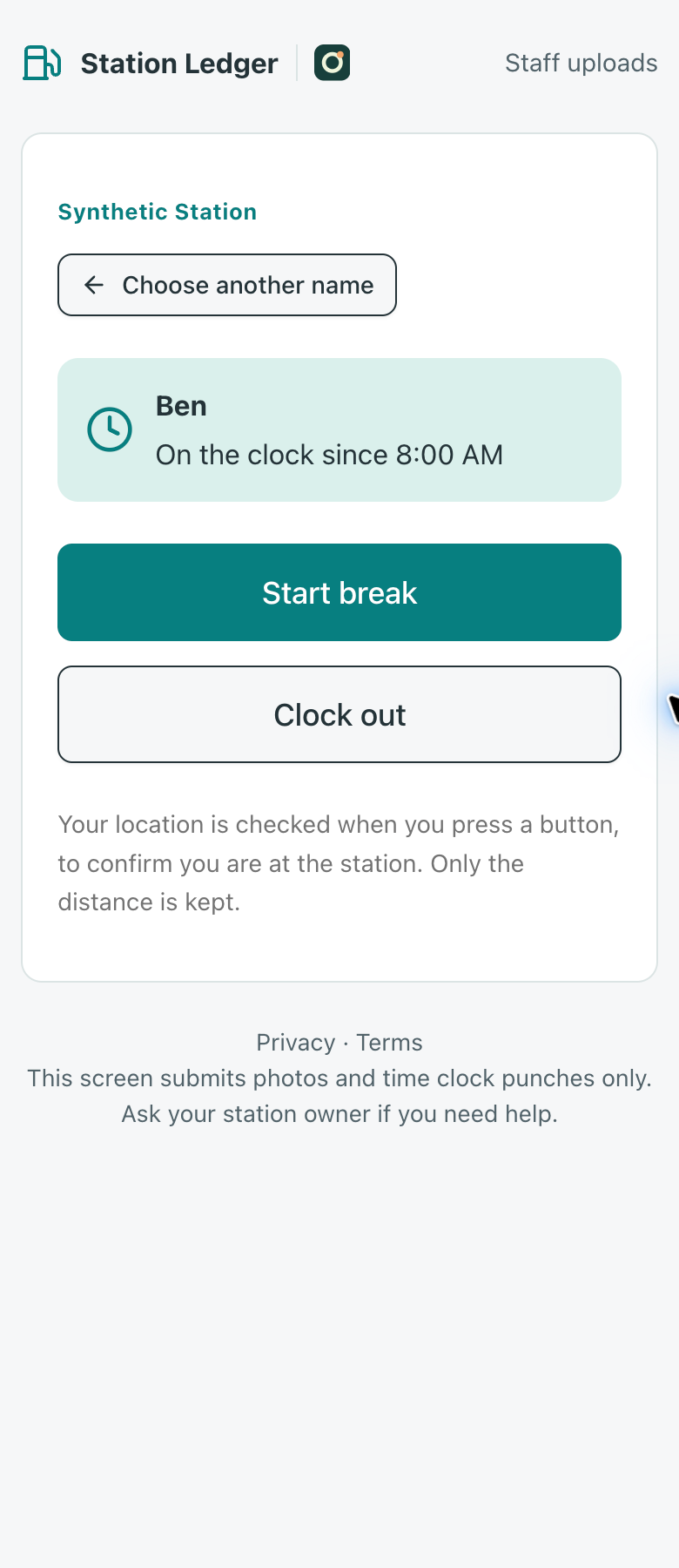
Real screens, fictional records. These pilot screenshots use sample station and employee data. Select any image to enlarge it.
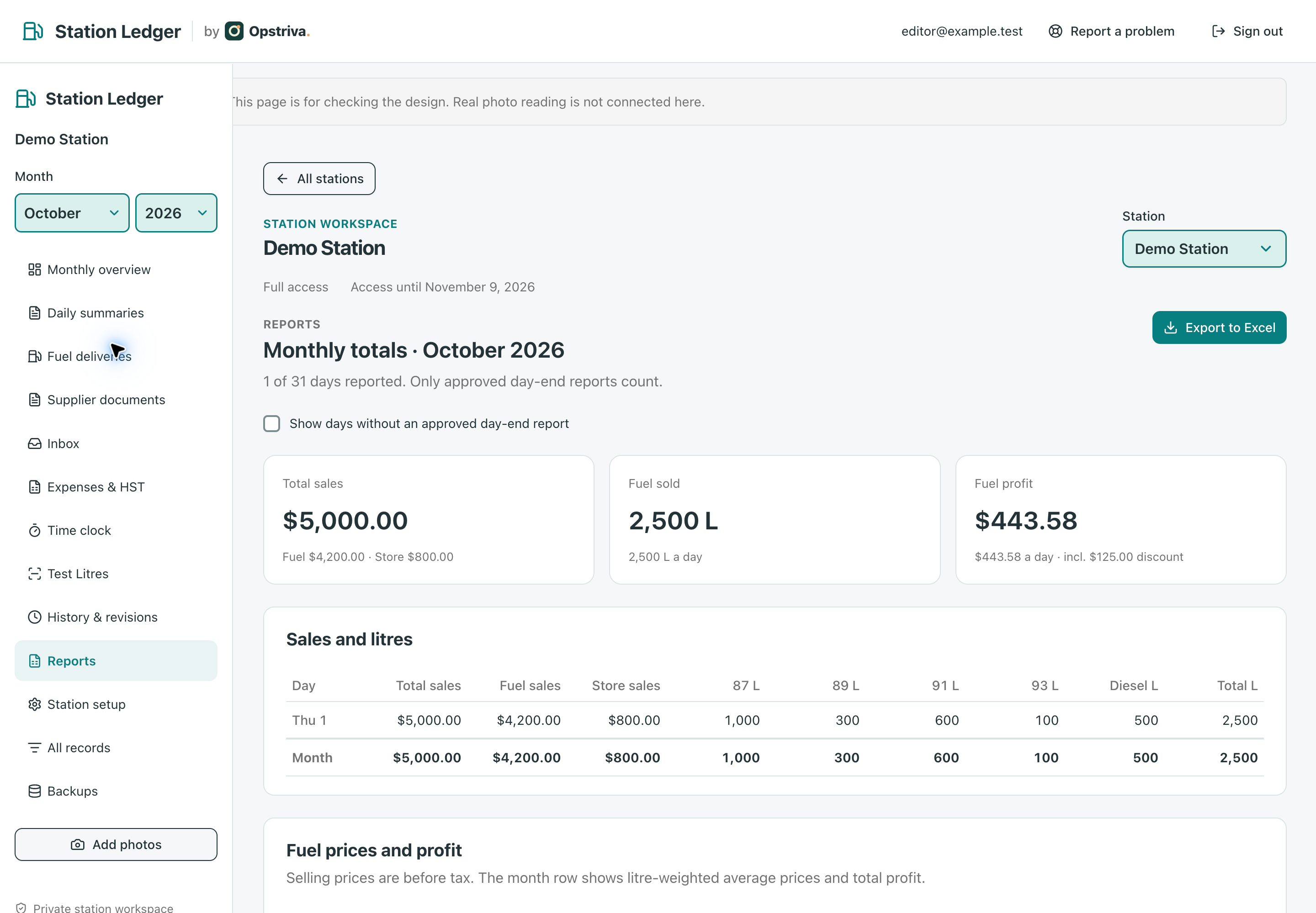
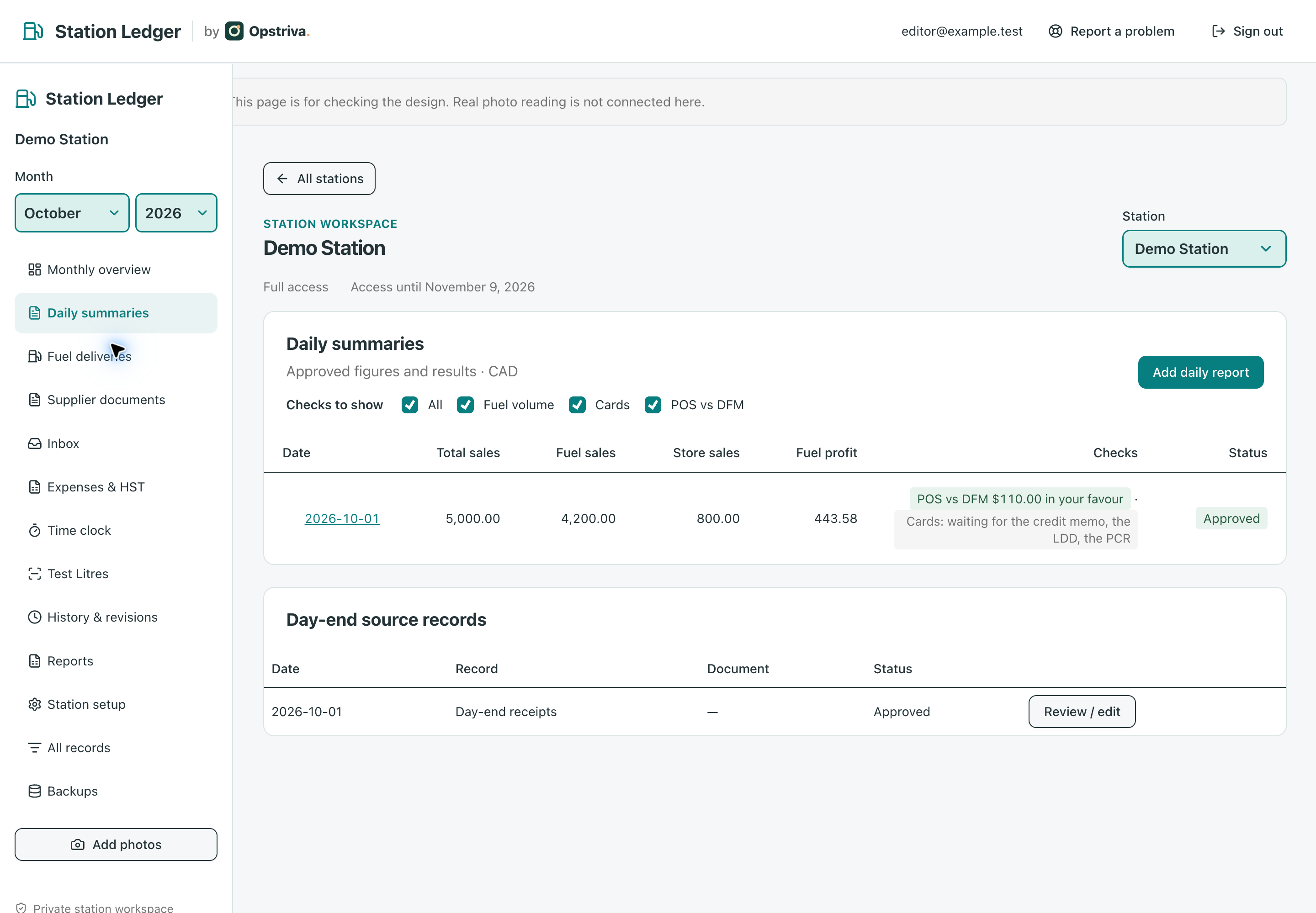
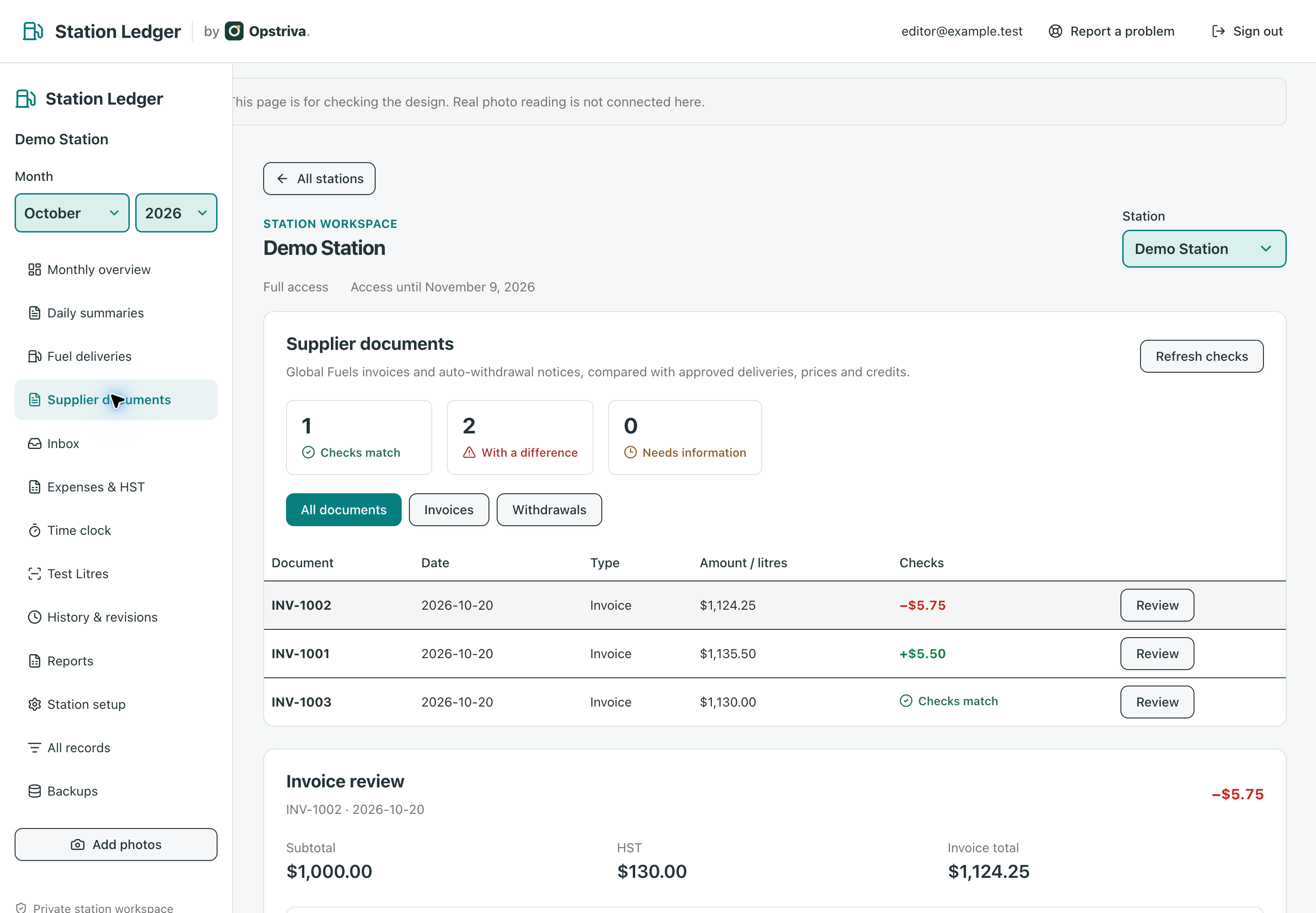
Customers review their reports. Employees clock in, take a break and clock out. All in the mobile web app.
Swipe to explore the phone views
Guided day-end and BOL photo uploads, plus clock-in, breaks and clock-out. Each punch checks distance from the station. Employees see their own clock status.
Switch between stations, review exceptions and look back at History. Corrections to time punches need a reason. Staff uploads and time-clock access are separate from Books.
Prefer to talk first? We can go through your suppliers, document formats, tank setup and statements with you. Continued access, pricing and support are agreed individually. Temporary support access is controlled by your station.
Business websites and Google listings, in-store promotional screens, opening and closing checklists, and tailored tools for the store.
Discuss supporting services →